

Top 5 Features to Look for in DCIM Software
Modernise Your Infrastructure: A Deep Dive into Essential DCIM Features for Peak Performance
In today’s hyper-scale era, relying on manual audits and static spreadsheets is a recipe for disaster. These outdated methods are no longer just inefficient. They represent a significant threat to system uptime. Consequently, Data Centre Infrastructure Management (DCIM) software has undergone a major transformation. It is no longer a luxury tool for basic monitoring. Instead, it now serves as a central command centre for mission-critical operations.
Navigating the crowded market of DCIM vendors can be overwhelming. To assist you, we have identified five essential DCIM features that define a future-proof platform. These core capabilities will ensure your infrastructure remains resilient, scalable, and energy-efficient in the years to come.
The Top 5 we will cover:

1. Real-Time Monitoring & Alerting
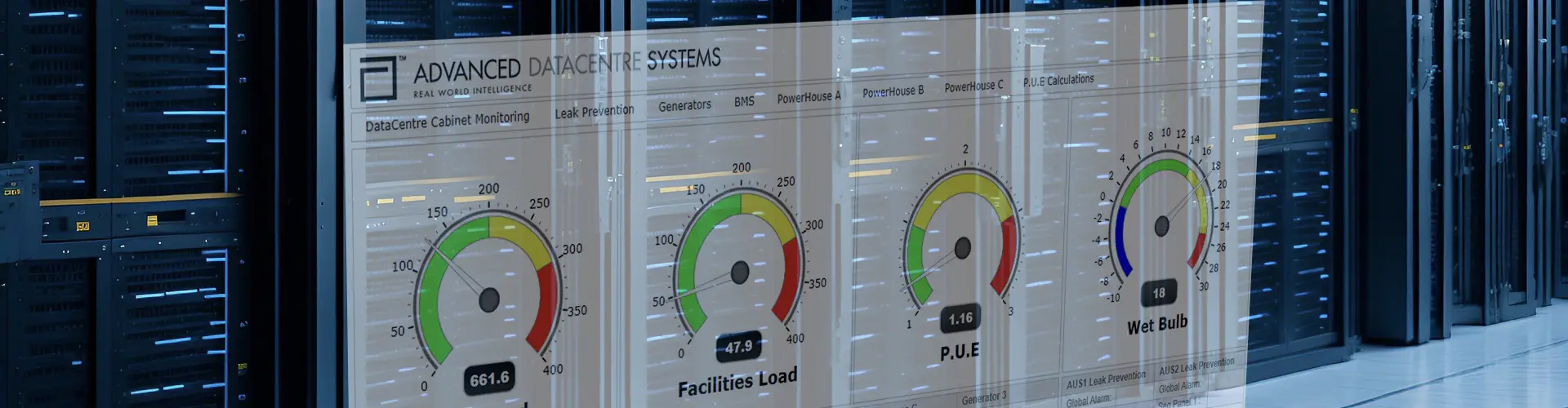
In today’s demanding data centre environments, waiting even a few moments can be costly. A standout DCIM feature is its ability to monitor events instantly. Real-time monitoring fundamentally changes how you oversee your infrastructure. It replaces outdated, periodic manual checks with a continuous, live stream of performance data. This vital information flows constantly from every single device connected across your network, giving you up-to-the-second awareness. Furthermore, it sends alerts the moment an issue arises.
- Precise Threshold Management: With a DCIM solution you gain complete control by defining custom limits for your equipment. You can easily set specific ‘Warning’ and ‘Critical’ thresholds to match your operational needs.
- Effective Alert Escalation: Furthermore, Alert Escalation ensures that absolutely no critical issue goes unnoticed. Alerts can be sent via detailed email notifications, SMTP or SMS.
- The Proactive Advantage: DCIM’s real-time monitoring is a profound shift in your operational strategy. You will transition away from a reactive approach—simply “firefighting” problems as they occur. Instead, your team can embrace truly proactive management. This forward-thinking method dramatically reduces the likelihood of unexpected hardware failures.
2. Vendor-Neutral Compatibility
Many hardware manufacturers provide their own specialised software to manage their devices. However, this approach, often called a “closed solution,” can cause problems. It becomes a burden when you need to add new equipment from different suppliers or change your existing setup.
A vendor-neutral Data Centre Infrastructure Management (DCIM) solution offers a different path. Think of it as a universal translator for your entire data centre. It breaks down the communication barriers between different brands and types of equipment.
- Unified Communication: This type of DCIM supports various communication methods, such as Simple Mail Transfer Protocol (SMTP). This allows it to control and monitor a wide range of systems effectively. It speaks the language of your diverse hardware.
- Handling Mixed Environments: Data centres often contain a mix of older and newer technology. You might have legacy Uninterruptible Power Supply (UPS) systems alongside cutting-edge cooling units. A vendor-neutral platform, like Sensorium from Advanced Datacentre Systems, brings all these different devices together. It presents them in a single, easy-to-understand dashboard.
- The Key Advantage: The main benefit of this approach is flexibility. You gain the freedom to choose the best hardware from any manufacturer. You are no longer tied to a single vendor. Therefore, you don’t need to worry about whether new equipment will work with your existing software. Your data also remains accessible, not locked into a proprietary system. This allows for true best-of-breed choices.
3. 3D Visualisation
3D Visualisation provides a complete virtual model of your data centre. First, it creates an exact map of your entire floor layout. Furthermore, it shows detailed views of every equipment rack and its contents.
- Spatial Context: This tool allows you to see exactly where your hardware is located from your computer screen. Consequently, you can find any asset instantly. You no longer need to spend time walking through the physical room to search for gear. Instead, you can manage your inventory from any location. As a result, your team saves time and improves the accuracy of your records.
- Thermal Overlay: The thermal overlay floor plan highlights racks at temperature thresholds. This allows your team to immediately investigate potential issues.
- The Benefit: Dramatically speeds up troubleshooting and technician dispatch, as “remote hands” know exactly where to go.
4. Automated Asset Discovery
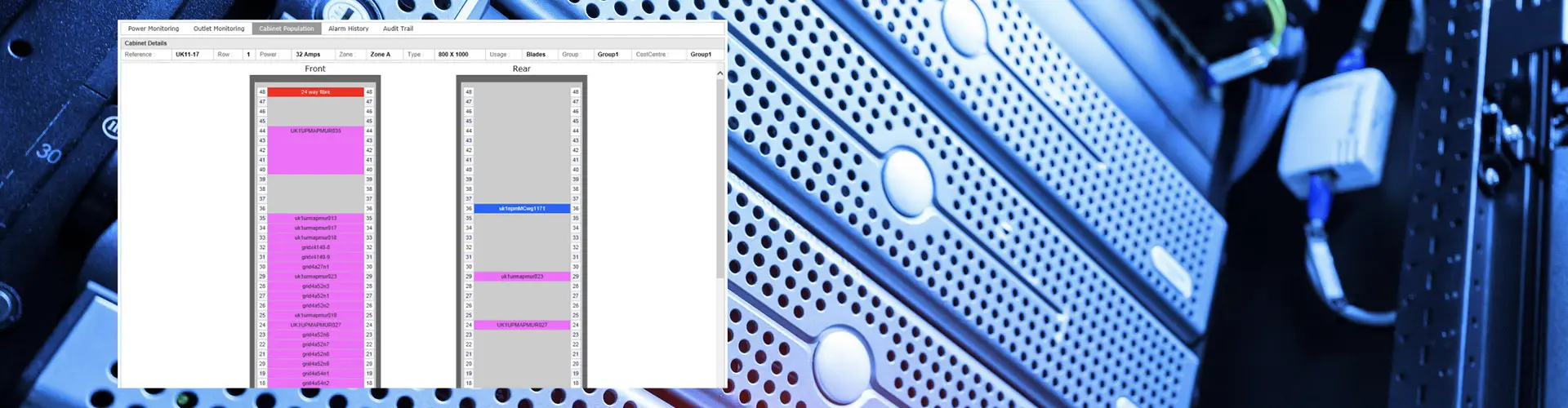
Gone are the days of relying on a technician with a clipboard or a sprawling Excel spreadsheet to keep track of your valuable assets. Automated asset discovery is here to liberate you from that tedious manual work.
- Network Scanning: The system actively scans your network. It diligently searches your subnets. This ensures that the moment a new device connects and joins the network, it is immediately recognised.
- Granular Data: The software doesn’t just identify a device; it gathers specific, detailed information. This includes the manufacturer, the exact model, the unique serial number, and even the current firmware version.
- The Benefit: The process actively prevents “ghost assets” from appearing in your records. These are often forgotten or uncatalogued items. Consequently, you gain a completely accurate inventory.
5. Advanced Capacity Planning
Capacity planning is about predicting when your essential resources will be fully utilised. It helps you know when you might run out of power, cooling, or space. Specifically, Data Centre Infrastructure Management (DCIM) software uses past performance data. This allows it to accurately forecast future resource needs.
- “What-If” Scenarios: “What-If” simulations enable proactive planning. Analyse your data to test the impact of adding new equipment. Then, verify immediately if your cooling and power redundancy remains sufficient.
- Stranded Capacity Recovery: This feature pinpoints resources that were allocated but remain unused. For example, a rack might be provisioned with 10 kilowatts (kW) of power. However, it may only ever draw 4 kW. DCIM clearly identifies this difference, enabling the power to be used elsewhere.
- The Benefit: It helps prevent two major issues. First, it stops over-provisioning, which wastes valuable money and resources. Second, it avoids under-provisioning, which can cause critical system failures. Consequently, advanced capacity planning allows you to maximise the use of every square metre within your facility. You gain optimal efficiency and save costs.
Conclusion
Ultimately, choosing the right DCIM software is about moving from a state of “guessing” to a state of “knowing.”
Prioritise real-time monitoring, vendor-neutrality, and 3D digital visualisation. These tools provide immersive clarity and eliminate the blind spots that cause costly downtime. Pair these tools with automated asset discovery and advanced capacity planning. As a result, your data centre evolves from a static cost centre into a dynamic, scalable asset.
It will now meet the rigorous demands of the 2026 digital world. Investing in these five core pillars ensures that as your hardware evolves, your management strategy remains one step ahead.
For more on DCIM read our Ultimate Guide to DCIM.