

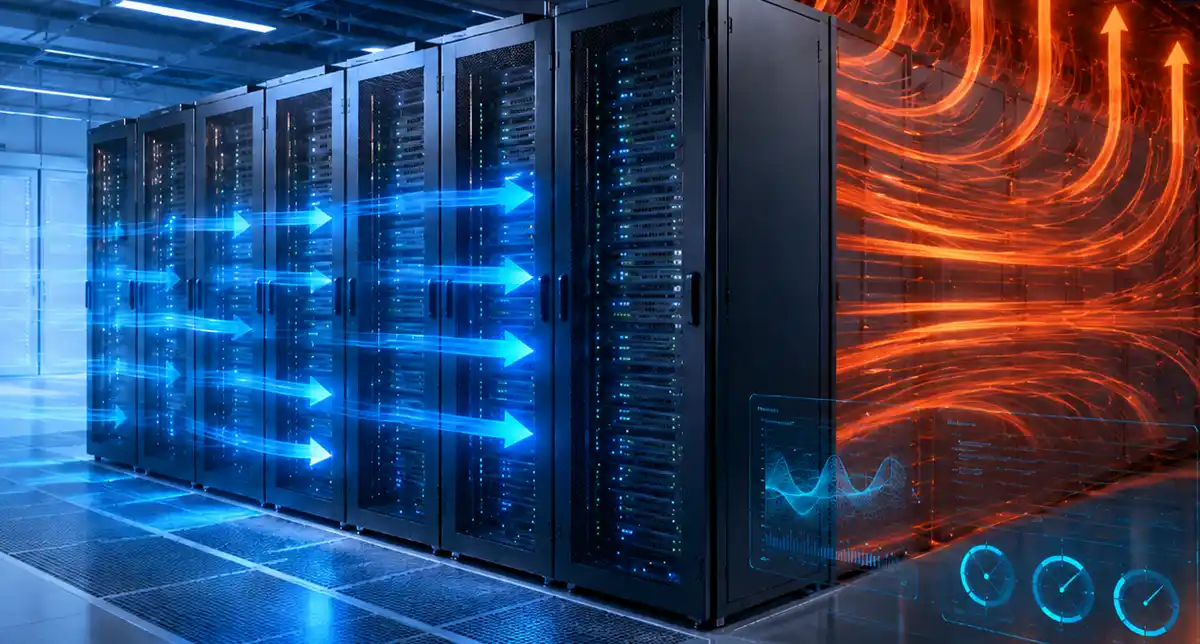
AI, high-performance computing and other processing-intensive applications place more computing power into a smaller physical footprint. As a result, data centres must manage increasingly concentrated heat loads at rack and row level.
Traditional room-based cooling strategies often struggle in these environments. A data hall may appear to operate within an acceptable average temperature while individual racks, servers or zones face very different conditions.
Therefore, cooling optimisation in a high-density environment requires more than increasing cooling capacity. Operators must understand where heat develops, how air moves and how changing IT loads affect the surrounding infrastructure.
With detailed environmental monitoring from the iSensor Controller and unified operational visibility through Sensorium DCIM, data centre teams can replace assumptions with evidence. Consequently, they can improve cooling performance while protecting equipment, controlling energy use and supporting future growth.
Why High-Density Computing Changes the Cooling Challenge
A conventional data centre may distribute its IT load relatively evenly across the room. However, high-density deployments concentrate more processing and power consumption within individual racks or rows.
This concentration creates several challenges:
- Rack inlet temperatures can vary significantly across the same data hall.
- Hot exhaust air can recirculate towards equipment intakes.
- Local cooling demand can exceed the capacity available to a particular rack or zone.
- Cooling systems may overcool low-density areas while high-density equipment remains at risk.
- Small changes in workload can create rapid temperature increases.
- Existing cooling designs may no longer match the current IT layout.
AI and high-performance computing are also increasing interest in both advanced air cooling and liquid cooling. However, no single cooling design suits every data centre. Operators must consider equipment density, room layout, climate, existing infrastructure and future capacity before choosing a strategy.
The objective should not simply be to produce more cold air. Instead, operators need to deliver the right cooling to the right place at the right time.
1. Establish a Thermal Baseline
Effective cooling optimisation starts with a clear picture of current conditions.
Before changing set-points, airflow layouts or cooling equipment, teams should establish a thermal baseline across the data centre.
This baseline should include:
- Rack inlet and exhaust temperatures
- Temperature differences between the top, middle and bottom of racks
- Humidity levels
- Power demand at rack and cabinet level
- Cooling system performance
- Known hotspots and overcooled areas
- Changes across different times and workloads
A single room temperature reading will not provide enough detail. In fact, it can hide significant variations between racks.
Instead, operators should collect data across each high-density row, zone or cabinet. This more detailed approach reveals where cooling demand concentrates and where existing capacity goes to waste.
Moreover, a baseline gives teams something to measure against. Without it, they cannot prove whether a change has improved cooling performance or simply moved the problem elsewhere.
2. Increase Rack-Level Environmental Monitoring
High-density environments require more granular environmental monitoring than traditional server rooms.
Sensors should sit close to the equipment they protect. Therefore, operators should position temperature sensors at rack air intakes rather than relying only on sensors attached to cooling units or walls.
Depending on the rack density, teams may need sensors at several heights. For example, readings from the bottom, middle and top of a rack can reveal vertical temperature differences that a single sensor would miss.
Operators should also monitor exhaust temperatures where practical. Comparing inlet and exhaust conditions helps teams understand how much heat equipment produces and how effectively the cooling system removes it.
The iSensor Controller supports up to 24 temperature and humidity sensor points.
Sensors can connect over standard CAT5 or CAT6 cabling and sit up to 100 metres from the controller. In addition, teams can set individual high and low thresholds for each monitoring point and receive email or SNMP alerts when conditions move outside the required limits.
Consequently, operators can monitor high-density areas at rack level without treating the entire data hall as one uniform environment.
3. Prevent Hot and Cold Air from Mixing
Airflow management remains essential, even as data centres introduce more advanced cooling technologies.
Poor airflow allows hot exhaust air to return to equipment intakes. Meanwhile, cold air may bypass IT equipment completely and travel directly back to the cooling units. Both situations waste cooling capacity.
Operators should therefore follow the 4Rs of Airflow Management created by Upsite Technologies and review:
- Missing blanking panels
- Gaps around cabling and raised-floor openings
- Poorly positioned floor grilles
- Obstructed rack air intakes
- Cable congestion behind equipment
- Hot and cold aisle containment
- Unused rack spaces, including gaps around the mounting frame
- Airflow direction through installed hardware
However, teams should not assume that installing containment automatically solves every cooling problem. They must monitor temperatures before and after making changes.
For example, closing an airflow gap may improve one rack while increasing pressure or changing airflow elsewhere. Continuous monitoring helps operators confirm the actual result.
ADS already explores these physical measures in greater detail in its guide to airflow management in data centres. Therefore, this article concentrates on how teams apply those measures specifically within high-density environments.
4. Match Cooling Output to IT Load
Many data centres still operate cooling systems using fixed settings. However, IT demand rarely remains fixed.
Workloads change throughout the day. Equipment gets added, removed or relocated. Furthermore, AI and HPC platforms may move quickly between lower utilisation and intensive processing.
As a result, cooling demand can change even when the physical infrastructure stays the same.
Cooling optimisation requires teams to compare thermal conditions with actual IT power demand. When rack power increases alongside inlet or exhaust temperature, operators can investigate whether the cooling system has enough capacity for the load.
Conversely, consistently low temperatures may reveal overcooling. In that case, operators may be able to adjust cooling settings or airflow without putting equipment at risk.
This evidence-based approach reduces the temptation to maintain unnecessarily low room temperatures as a safety margin. Instead, teams can make controlled adjustments and monitor the result.
5. Manage High-Density Areas as Separate Thermal Zones
Not every rack in a data centre carries the same load. Therefore, operators should not apply an identical cooling strategy to every part of the facility.
A mixed-density data hall might contain:
- Conventional storage or network racks
- High-density compute clusters
- GPU-based AI infrastructure
- Legacy equipment with different airflow patterns
- Partially populated cabinets
- Racks awaiting future expansion
Treating the whole room as one thermal zone can lead to significant waste. The facility may overcool lower-density areas simply to protect a small number of high-density racks.
Instead, teams should identify separate thermal zones based on rack load, equipment type and cooling demand. They can then target airflow, monitoring and cooling resources more accurately.
For example, a high-density row may require additional sensor points, enhanced containment or local cooling support. Meanwhile, a lower-density area may continue to operate safely with less cooling.
This zoning approach improves control and creates a clearer path for future expansion.
6. Connect Power, Environmental and Capacity Data
Temperature data becomes much more valuable when teams can view it alongside power and capacity information.
A rising rack temperature tells operators that conditions have changed. However, it does not explain why.
The cause could be:
- A sudden increase in IT workload
- Newly installed equipment
- A failed server fan
- An obstructed air intake
- A change to the cooling system
- Poor containment
- An overloaded rack or power circuit
By bringing power, environmental and asset data together, teams can investigate these relationships more quickly.
Sensorium DCIM consolidates information from PDUs, temperature sensors, humidity monitoring, building systems and other infrastructure into a unified interface. It also provides real-time and historical cabinet data, dynamic floor plans, trend information and cabinet population records.
Consequently, operators can compare rack loading with environmental conditions instead of reviewing each system separately.
For example, Sensorium can help teams identify whether a recurring temperature increase coincides with rising power demand in a particular cabinet. They can then decide whether to improve airflow, redistribute equipment or review the available cooling capacity.
This joined-up view becomes particularly valuable in high-density environments, where thermal conditions and IT load can change rapidly.
7. Plan for Hybrid and Liquid Cooling
Air cooling remains suitable for many data centre environments. However, rising rack densities may require operators to consider additional cooling methods.
These may include:
- In-row cooling
- Rear-door heat exchangers
- Direct-to-chip liquid cooling
- Immersion cooling
- Hybrid air and liquid cooling
- Dedicated high-density cooling zones
Teams should not wait for the existing cooling system to reach its limit before exploring these options. Instead, they should use current power, temperature and capacity trends to identify when infrastructure may require an upgrade.
Historical data can show how quickly rack density is increasing. It can also reveal whether existing airflow improvements continue to deliver results or whether temperatures are gradually moving closer to operational limits.
Furthermore, a transition to liquid cooling does not remove the need for environmental monitoring. Hybrid environments may still contain air-cooled equipment, power systems, networking hardware and other components that rely on controlled room conditions.
Therefore, operators need a monitoring strategy that supports both the existing environment and any future cooling architecture.
8. Use Alerts Without Creating Alarm Fatigue
High-density environments can change quickly. Therefore, teams need early warnings when conditions begin to move outside expected limits.
However, too many low-value alarms can overwhelm operators. Staff may struggle to distinguish an emerging thermal risk from routine fluctuations. This is known as alarm fatigue and an issue we have covered in our article Alarm Fatigue in Data Centres: Prevent Critical Alerts Being Missed.
Teams should configure alerts according to the importance of each location and asset. For example, a high-density AI rack may require tighter monitoring thresholds than a lightly populated network cabinet.
Operators should also consider:
- Warning thresholds that identify developing conditions
- Critical thresholds that require immediate action
- Rate-of-change alerts where rapid temperature movement matters
- Escalation procedures for unattended sites
- Different alarm priorities for different racks or zones
Sensorium can centralise alerts from multiple infrastructure systems. As a result, teams can view environmental events alongside related power, cooling and equipment information.
This context helps operators make faster decisions while reducing the risk that an important thermal warning disappears among unrelated notifications.
9. Validate Every Cooling Change
Cooling optimisation should operate as a continuous process rather than a one-off project.
After changing airflow, set-points, containment or equipment placement, teams should compare the new results with their original baseline.
They should ask:
- Did rack inlet temperatures improve?
- Did the change remove or relocate the hotspot?
- Did temperature variation across the row decrease?
- Did cooling energy consumption fall?
- Did the change affect humidity?
- Did power demand or workload change during the test?
- Does the improvement remain consistent over time?
Real-time data shows the immediate effect of a change. Meanwhile, historical trends reveal whether the improvement continues across different workloads, seasons and operating conditions.
Therefore, operators should follow a simple continuous optimisation cycle:
- Monitor current conditions.
- Analyse thermal, power and capacity data.
- Optimise airflow, cooling or equipment placement.
- Validate the result.
- Repeat the process as the environment changes.
This cycle allows teams to improve cooling performance gradually without introducing unnecessary operational risk.
How iSensor and Sensorium Work Together
iSensor and Sensorium perform different but complementary roles.
iSensor provides the environmental data. It collects accurate temperature and humidity readings from multiple points across racks, rows and rooms. It also alerts teams when individual monitoring points move outside their required thresholds.
Sensorium provides the wider operational context. It brings environmental information together with power demand, cabinet population, asset data, building systems and other infrastructure.
Together, they help data centre teams:
- Detect emerging hotspots
- Identify overcooled areas
- Compare rack temperature with power demand
- Monitor high-density zones individually
- Review historical performance
- Validate cooling changes
- Plan future cooling capacity
- Reduce fragmented infrastructure monitoring
Most importantly, this combined approach allows operators to make cooling decisions based on measured conditions rather than assumptions.
Cooling Optimisation Requires Visibility
High-density computing creates a more complex thermal environment. However, adding more cooling equipment does not automatically solve the problem.
Operators must first understand where heat develops, how airflow behaves and how IT load affects each rack or zone. They can then target cooling resources more accurately and avoid wasting energy on areas that do not need them.
iSensor provides detailed rack-level environmental monitoring, while Sensorium DCIM connects that information with the wider infrastructure picture.
As a result, data centre teams can manage high-density environments more proactively, improve cooling efficiency and prepare their facilities for future computing demands.
To learn how Sensorium DCIM and iSensor can support your cooling optimisation strategy, contact Advanced Datacentre Systems.
Frequently Asked Questions (FAQs)
What is cooling optimisation in a data centre?
Cooling optimisation involves delivering the right amount of cooling to the areas that need it, without wasting energy by overcooling the entire facility. It combines airflow management, environmental monitoring, equipment placement and cooling system control to maintain safe operating conditions efficiently.
These enclosures restrict access to authorised personnel, adding a critical layer of physical security. Meanwhile, tenants still benefit from shared power, cooling, and network infrastructure.
Why do high-density data centres need a different cooling strategy?
High-density racks generate more heat within a smaller space. As a result, average room temperatures may appear acceptable while individual racks or zones experience hotspots. Operators therefore need more detailed rack-level monitoring and targeted cooling strategies.
These enclosures restrict access to authorised personnel, adding a critical layer of physical security. Meanwhile, tenants still benefit from shared power, cooling, and network infrastructure.
How does environmental monitoring improve cooling performance?
Environmental monitoring shows operators how temperature and humidity vary across racks, rows and rooms. Solutions such as iSensor help teams detect hotspots, identify overcooled areas and confirm whether airflow or cooling changes have delivered the expected result.
How can DCIM support cooling optimisation?
DCIM connects environmental data with power, capacity, asset and infrastructure information. Sensorium DCIM allows operators to compare rack temperatures with equipment loads, review historical trends and make cooling decisions using a unified operational view.
Does liquid cooling remove the need for environmental monitoring?
No. Liquid-cooled environments may still contain air-cooled servers, networking equipment, power systems and other infrastructure that depends on stable room conditions. Environmental monitoring also helps operators manage hybrid cooling environments and identify problems before they affect critical equipment.