

The Complete Guide to Data Centre Environmental Monitoring
How Proactive Environmental Monitoring Protects Data Centre Uptime and Infrastructure
Today’s data centres require precise environmental monitoring and control. Specifically, they must maintain a stable atmosphere to function reliably.
Even minor fluctuations in temperature, humidity, air quality, or tiny airborne particles can damage hardware, destabilise systems, or trigger sudden shutdowns. For example, if the air becomes too warm or dusty, servers wear down much faster than expected. Consequently, these small environmental shifts often lead to costly outages that halt operations entirely.
To prevent these issues, operators use environmental monitoring systems to keep a constant eye on the facility. These tools offer a clear, real-time view of internal conditions. As a result, teams can spot potential threats early and resolve them before they cause a crash. Ultimately, this proactive approach keeps the data centre reliable and performing at its peak.
In this guide, we will cover:
What is Environmental Monitoring in a Data Centre?
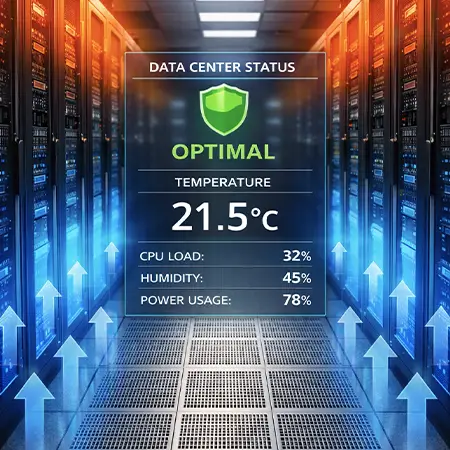
Environmental monitoring is the process of tracking the physical conditions inside a data centre around the clock. Think of it as a 24/7 health check for your servers and critical infrastructure. Because delicate IT equipment requires a tightly controlled atmosphere, facility managers must track every shift in the room to prevent hardware failure or permanent damage.
Core Environmental Factors to Track
To keep operations running smoothly, modern monitoring systems track several vital parameters:
- Temperature & Humidity: Dedicated temperature and humidity sensors ensure the rooms stay cool and dry. If the air gets too hot, servers can overheat; conversely, if it becomes too damp, moisture can ruin sensitive circuitry.
- Airflow & Air Pressure: Differential sensors track these levels to confirm that cooling systems distribute conditioned air effectively across every aisle.
- Carbon Dioxide (CO2): Carbon Dioxide sensors check for ventilation inefficiences and air stagnation, helping you evaluate overall air circulation.
- Dust & Airborne Particles: Particle sensors detect microscopic contaminants that can clog fans and cause components to burn out over time.
- Water Leaks: Water and electricity are a dangerous mix. By connecting water detection ropes to volt-free contact sensors, you can detect leaks immediately and prevent catastrophic shutdown.
By deploying smart environmental monitoring systems such as the iSensor Controller, data centre managers can consoldiate all this telemetry into one central hub. Instead of walking through aisles to check individual gauges, teams gain a live view of every rack, room, and zone from a single screen. Therefore, they can resolve minor anomalies long before they escalate into expensive disasters.

Why Environmental Monitoring is Critical for Uptime
Uncontrolled environmental factors – such as rising temperatures, fluctuating humidity, or undetected leaks – frequently cause unexpected system shutdowns. These common issues lead to avoidable downtime that no organisation can afford. Fortunately, automated environmental monitoring provides a reliable safeguard for your mission-critical operations.
Key Operational Benefits
By maintaining continuous visibility over your white space, an effective monitoring strategy helps you:
- Prevent overheating and thermal issues: Detect rising temperatures immediately to stop critical equipment from throttling or failing. As a result, you avoid irreversible hardware damage and costly emergency repairs.
- Reduce static discharge and condensation risk: Maintain balanced humidity levels to protect delicate electronics. Specifically, this prevents both electrostatic discharge (ESD) in dry air and moisture-induced short circuits in damp conditions.
- Maintain optimal cooling efficiency: Keep CRAC and CRAH units running at peak performance. Consequently, you reduce mechanical strain on your infrastructure and keep energy usage under control.
- Extend hardware lifespan: Shield servers from chronic thermal and particulate stress. In turn, your IT assets last longer, delaying expensive hardware refresh cycles.
- Meet compliance and audit requirements: Log and export historical environmental data effortlessly to prove adherence to industry standards. Furthermore, this makes regulatory audits faster and far less stressful.
- Improve overall energy efficiency: Optimise power consumption by eliminating overcooling. Directly lowering your Power Usage Effectiveness (PUE) reduces ongoing operational expenses.
In essence, a proactive monitoring strategy transforms how you manage your facility. Rather than reacting to emergencies and constantly “firefighting”, your team can predict and prevent issues – ensuring smoother, more resilient performance across your entire infrastructure.
Key Environmental Metrics Every Data Centre Should Monitor
To keep a data centre running reliably, you must look beyond power capacity and network speed. Watching the physical environment closely prevents premature hardware failure while keeping energy costs in check. Below are the four most critical metrics to track.
Temperature Control
Heat is the single biggest threat to server reliability. Specifically, when a rack overheats, hardware will throttle performance or shut down completely to protect itself. These “hot spots” typically develop due to poor airflow management or high-density compute loads. However, by tracking temperature 24/7, you can catch these heat spikes early and adjust cooling before a crash occurs.
Humidity Levels
Moisture in the air requires a careful balancing act. If the air becomes too damp, condensation can form on circuit boards, leading to corrosion and short circuits. On the other hand, if the air is too dry, static electricity builds up rapidly and can discharge into sensitive components. Keeping your humidity within a steady “middle zone” ensures your hardware enjoys a long, healthy lifespan.
Carbon Dioxide (CO2) Levels
While people need fresh air to breathe, data centres also use CO2 readings to evaluate how well ventilation systems are performing. If CO2 levels climb, it usually indicates that your HVAC system is not circulating or refreshing air properly. Consequently, monitoring carbon dioxide helps you spot inefficiencies in your cooling setup and confirm that air moves exactly where it is needed.
Dust and Airborne Particles
Tiny particles of dust may seem harmless; however, they act like an insulating blanket over your electronics. This layer traps heat inside components and forces internal fans to work much harder. Over time, airborne dust also clogs air filters, making your entire cooling system less effective. By using a dedicated particle sensor, you can identify rising contamination levels and clean the facility before equipment breaks down.
Ultimately, tracking these four metrics does more than protect your servers – it enables you to run a leaner, more predictable facility.
Monitoring these four areas does more than just protect your equipment; it helps you run a more efficient and reliable facility. When you understand your environment, you can stop problems before they start.
Real-Time Monitoring vs Manual Checks
Modern data centre environments are dynamic and densely packed. Because conditions can change within minutes, relying solely on manual walk-through inspections is no longer enough. Traditional spot-checks leave critical systems exposed; for instance, they frequently miss subtle trends or rapidly developing thermal spikes between rounds.
The Power of Real-Time Monitoring
Indeed, automated environmental monitoring systems deliver comprehensive oversight and instant alerts that manual checks simply cannot match:
- Continuous Data Capture: Sensors collect telemetry around the clock, giving you an unbroken, up-to-the-minute record of your facility’s health.
- Automated Threshold Alerts: You receive instant notifications via email, SMS, or SNMP the moment conditions breach safe limits, enabling immediate intervention.
- Historical Trend Analysis: By reviewing logged data, you can identify seasonal patterns, spot gradual cooling degradation, and address risks proactively.
- Remote Dashboard Access: Monitor your environment from any location, ensuring full visibility even when engineers are off-site.
- Seamless DCIM Integration: Connect hardware directly with Data Centre Infrastructure Management (DCIM)platforms – such as Sensorium DCIM – for a unified view of power, space and environment.
Ultimately, these capabilities ensure you detect anomalies the exact second they occur. This translates directly into faster corrective action, protecting your vital assets and safeguarding service-level agreements (SLAs).

Best Practices for Implementing Environmental Monitoring
Setting up an environmental monitoring system properly is just as important as the hardware itself. By following these proven best practices, you can build a resilient monitoring framework that prevents blind spots and keeps operations running smoothly.
1. Place Sensors at The Rack Level, Not Just Room Level
Do not rely solely on wall-mounted room thermostats. Instead, install sensors right where your equipment lives – directly on the server racks. This is essential because temperatures vary dramatically across aisles, creating localised “hot spots” even when the wider room feels cool. Monitoring at rack level ensures you catch thermal issues right at the source.
2. Monitor Both Intake and Exhaust Air
Always track the temperature of cool air entering the front of your racks (intake) alongside the warm air exiting the rear (exhaust). Comparing these two readings gives you a clear picture of cooling efficiency and delta-T (ΔT). Furthermore, it quickly reveals if hot exhaust air is recirculating back into the cold aisle.
3. Set Graduated Alert Thresholds
Avoid relying on a single alarm threshold. Instead, configure multi-stage alert levels. For example, a “warning” alert can trigger when temperatures drift slightly above normal, giving engineers time to investigate. Conversely, a “critical” alert signals an urgent threat requiring immediate action. This tiered approach encourages calm, proactive intervention before minor drifts become major outages.
4. Calibrate Sensors Regularly
For your monitoring data to remain trustworthy, your sensors must stay accurate. Therefore, schedule periodic checks and calibrations to ensure every sensor probe delivers precise readings. Without routine verification, you risk dealing with nuisance false alarms – or worse, missing genuine environmental threats.
5. Integrate Monitoring into Broader Management Systems
Link your environmental sensors with your wider infrastructure management tools, such as a Data Centre Infrastructure Management or Building Management System (BMS). Bringing power, cooling, and environmental telemetry into one platform eliminates data silos. As a result, your team can correlate events faster, automate cooling responses, and improve overall operational reliability.
Conclusion
To conclude, you cannot build a resilient data centre without a robust environmental monitoring strategy. Organisation such as ASHRAE provide clear, industry-standard guidelines on recommended thermal and humidity envelopes, helping operators establish safe operating baselines.
Today, environmental monitoring is the backbone of data centre reliability – a vital necessity rather than an optional extra. When operators continuously track temperature and humidity, they prevent equipment from overheating or corroding. Furthermore, by measuring airflow, carbon dioxide and airborne particulates, teams stop dust and poor circulation from degrading cooling performance. Consequently, these proactive measures safeguard expensive hardware and eliminate avoidable service outages. Ultimately, staying alert to your physical environment ensures your facility remains resilient, efficient and ready for future growth.
Frequently Asked Questions (FAQs)
According to ASHRAE (TC 9.9) guidelines, the recommended inlet temperature range for enterprise data centres is 18°C to 27°C (64.4°F to 80.6°F). For humidity, ASHRAE recommends maintaining a dew point between -9°C and 15°C, with relative humidity generally kept between 40% and 60% to prevent both static discharge and condensation.
For complete visibility, place temperature sensors at the top, middle, and bottom of the cold-aisle intake side of your server racks. Because heat rises, the top third of a rack is most vulnerable to hot air recirculation. Adding an exhaust sensor at the rear top of high-density racks also helps you measure temperature rise (ΔT) across the servers.
In standard-density racks, two to three intake sensors (bottom and top, or bottom, middle, and top) provide strong coverage. However, for high-density racks—such as those housing AI, HPC, or blade servers—deploying three intake sensors plus at least one rear exhaust sensor is recommended to catch rapid thermal spikes.
Room-level monitoring measures ambient conditions using wall or ceiling sensors, which often mask localised thermal problems. In contrast, rack-level monitoring places probes directly at the server air intakes. Consequently, rack-level monitoring detects hot spots, blocked perforated tiles, and bypass airflow long before room-level sensors register a change.
Yes. Modern environmental monitoring controllers—such as the iSensor Controller—support open protocols such as SNMP. This allows you to feed real-time sensor telemetry and automated alerts directly into your existing Data Centre Infrastructure Management (DCIM) platform or Building Management System (BMS).